DAY 1
Make your account
Sign up for an AI tool you'll actually use. We recommend Claude Pro at claude.ai. If your company already pays for Microsoft Copilot, Gemini, or ChatGPT, start there. Try one prompt today.
A 30-day daily-reps program for AI fluency. Ten minutes a day. Designed for HR leaders, not developers. One simple action per day. Tick the box. Tomorrow you wake up sharper.
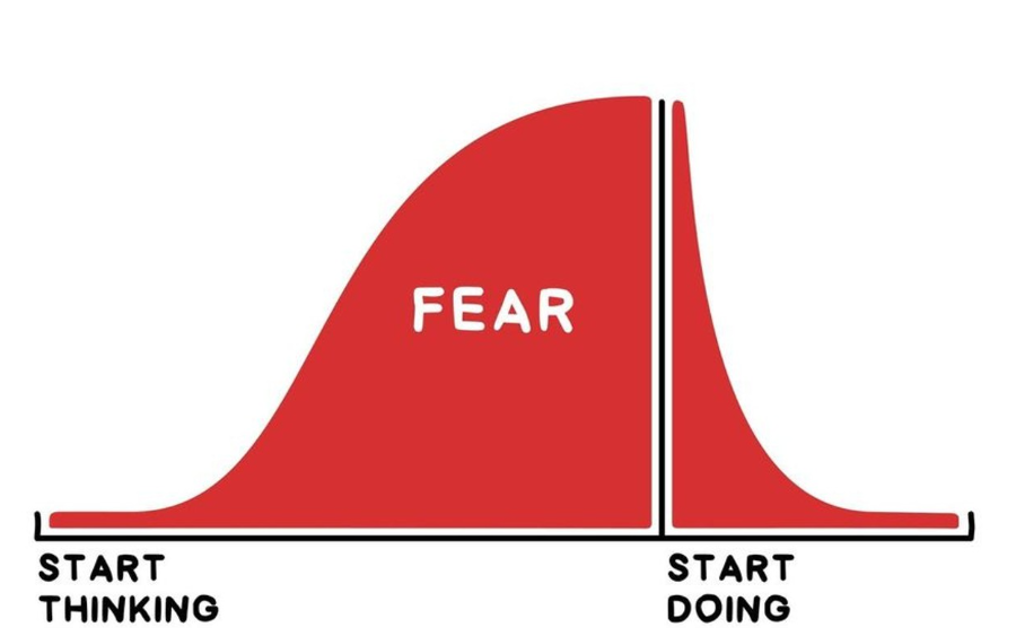
Most of the curve is fear. The doing is the cure.
Ten minutes a day is the rep that shrinks the lump and starts the spike. Day 1 takes 10 minutes. By Day 7 you've shipped something real.
Pick when you'll start and what time of day works for you. Then pick your calendar app. Each rep is a 10-min event with a 5-min reminder.
One date. The day you'll show one person what you built. A peer, your team, your CHRO, anyone who will witness it. Pick a date. Tell that person you'll show them. The deadline is half the magic.

Click any day to jump to the full rep. Or print this whole grid as your wall poster.
Open this page each weekday. Find today's card. Do the one thing. Tick the box.
If a rep stretches past 10 min, stop. Habit beats optimization.
Day 30 = your first scheduled run. Pick a demo day above. Show one person what you built. That moment is the whole point.
Sign up for an AI tool you'll actually use. We recommend Claude Pro at claude.ai. If your company already pays for Microsoft Copilot, Gemini, or ChatGPT, start there. Try one prompt today.
List 5 AI tools you can use at work. Note what each does best.
List 3 HR tasks you do every week that each take 30+ min.
Write one prompt that gives the AI your role, your audience, and your goal. Notice how the answer changes.
Ask your AI tool to interview you · 7-10 short questions about how you work. Save the output as a file called working-style · a Google Doc, a Word doc, or a text file all work. Skills from Day 6 onward will use it as context.
Open the 20 HR Skills Build Kit. Pick the one closest to your weekly work. Read its SKILL.md spec and EXAMPLES. Copy it.
Use yesterday's Skill on a real piece of HR work. Screenshot.
Show one colleague what worked. One line of context.
Point Claude Cowork at a real HR folder. Ask one question.
Open the HR AI Roadmap workbook. Fill in even one row · your first use case, the IMPACT scoring, what to ship first.
Open the Chief of Staff Template. Read the 6 sections (Role, Personality, Tools, Briefing, Formatting, Prioritization).
Open the working-style file you saved on Day 5. Add depth in 7 sections (role, priorities, decisions, comm style, sharp time, pet peeves, what good work looks like).
How I write · How I give feedback · How I decide. Real examples.
1:1s · Make a case · Leaders vs team · Superpower. One page total.
Save your CoS prompt as a file called chief-of-staff alongside your working-style file. Two files now · both feed your AI partner in Week 3.
Read both files out loud · your working-style notes and your CoS prompt. Make one round of edits. Plus write 3 sentences on what surprised you this week.
Name the one risk that worries you most about your AI use case (Security, Cost, Accuracy, Learning, Ease). One sentence why. SCALE framework explained →
Add Gmail or Outlook to your AI. Ask for three patterns it sees in your last 20 emails.
Open your AI tool's Projects feature (Claude Projects · ChatGPT Projects · Gemini Gems · Copilot Studio). Create a new one. Name it "My Chief of Staff."
Add your working-style file and CoS prompt to Project knowledge.
Paste CoS instructions. Change [BRACKETS]. Run 1 test query.
Ask Claude "Suggest 3 improvements" then "Incorporate them."
Install Claude Code. Run /init in a folder you own.
Screenshot your Chief of Staff answering well. Save it. Send it to one person who'd recognize what you just built.
Paste your calendar and your to-do list. Ask the AI: what should I drop this week? What can I delegate?
Pick 1 weekly task. Write what fires and when, in 1 sentence.
Create routines/ folder. Add your routine file with 5 sections.
In Claude Code: "Run routines/my-routine.md once."
git add . && git commit -m "add routine" && git push.
Your routine fires automatically. Save the proof. You've crossed from thinking to doing.
Atlas 30 isn't a thing you finish. Day 30 is the start line, not the finish. Four concrete checkpoints to keep you going.
15 minutes. Add one Skill. Delete one Routine you stopped using. Keep the stack lean.
The day you committed to. Show one person what you built. Tell them what it saves you each week.
Pick a different one from the Build Kit. Adapt its SKILL.md to your org. Run it once on real work.
Open the Routine you built. Rewrite the part that has been disappointing you. Run it for a week.
Update CLAUDE.md + working-style.md for who you are now. Three months in, you have changed.
Walk one colleague through your Chief of Staff. Teaching is the highest form of learning.